



Bring Disconnected Screens into One View
Before · One-to-One Monitoring by EAI System
↓
After · Unified Enterprise Monitoring Across Multiple EAI Systems
 RTIMS
BizInsider RTIMSis a business-oriented real-time interface monitoring system that consolidates interface processing results and system status across multiple EAI environments and provides dashboards, statistics, and incident alerts for both business users and EAI teams.
Transform fragmented monitoring, technical interfaces, and delayed issue detection into an enterprise-wide, business-oriented, real-time response model.
BizInsider RTIMS collects execution logs and system status from Application Systems and EAI Systems and provides role-specific views and alerts for business users and EAI specialists.
BizInsider RTIMS collects interface execution logs together with system resource and status information.
It combines interface master data with execution information to build dashboards, statistics, error information, and alerts.
Business users review status, statistics, and alerts, while EAI specialists access interface/system administration and incident response information.
Set monitoring scope from individual business systems to the enterprise level and summarize processing results and system status in one screen.
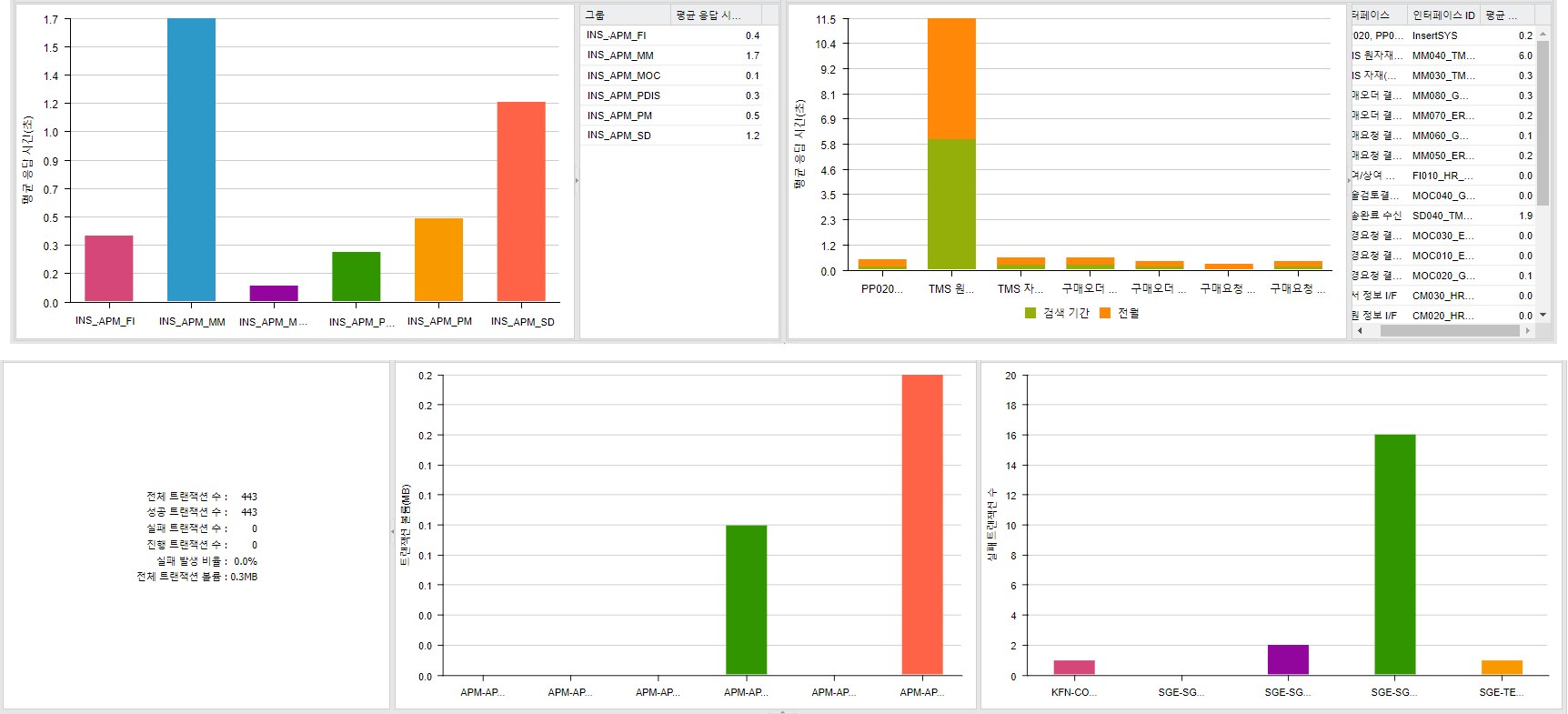
Enterprise DashboardClassify and present processing results, error occurrences, and transaction volumes by business owner.
User DashboardGroup related interfaces by business process and assign interface names that business users can easily understand.
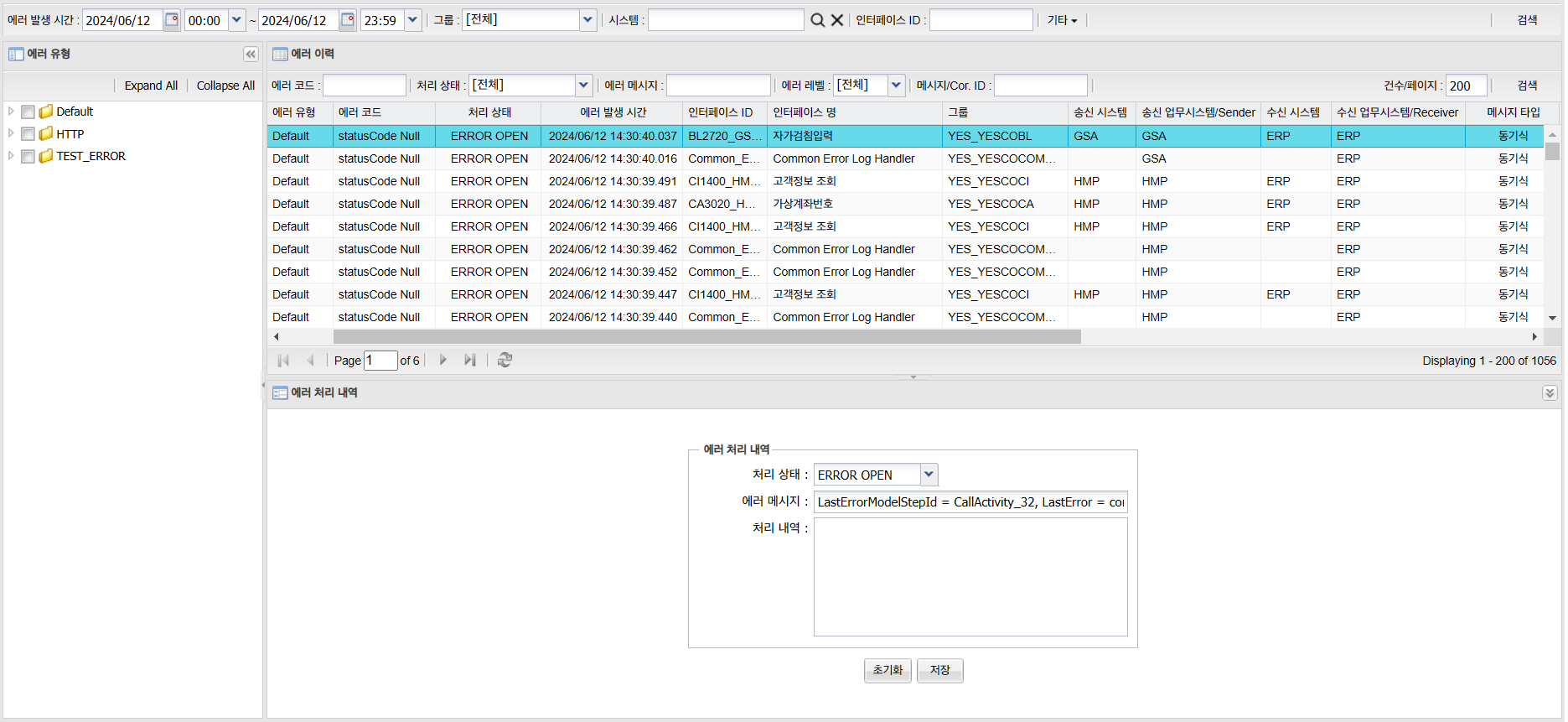
Business Group · AliasDefine error types and trigger conditions, filter error history, and record processing status to manage incidents.
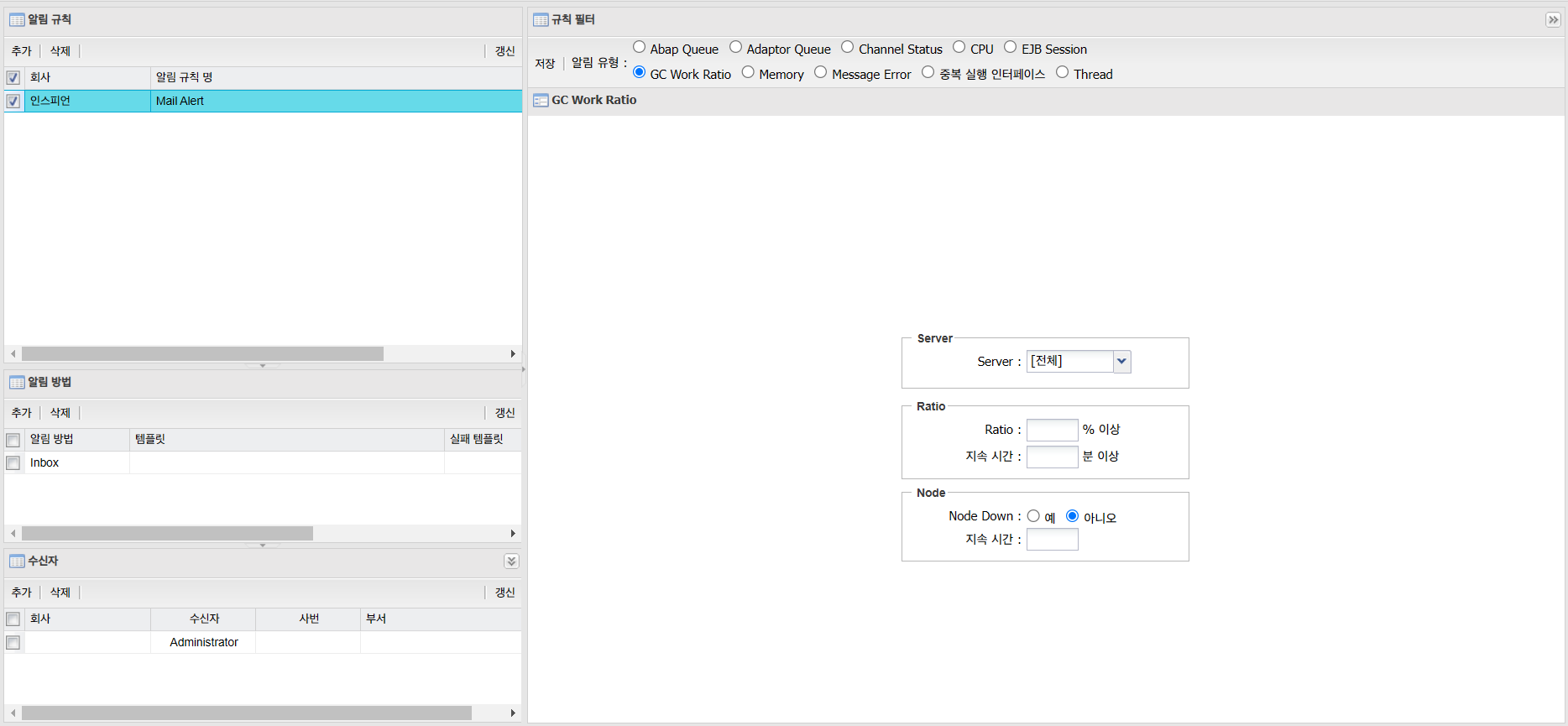
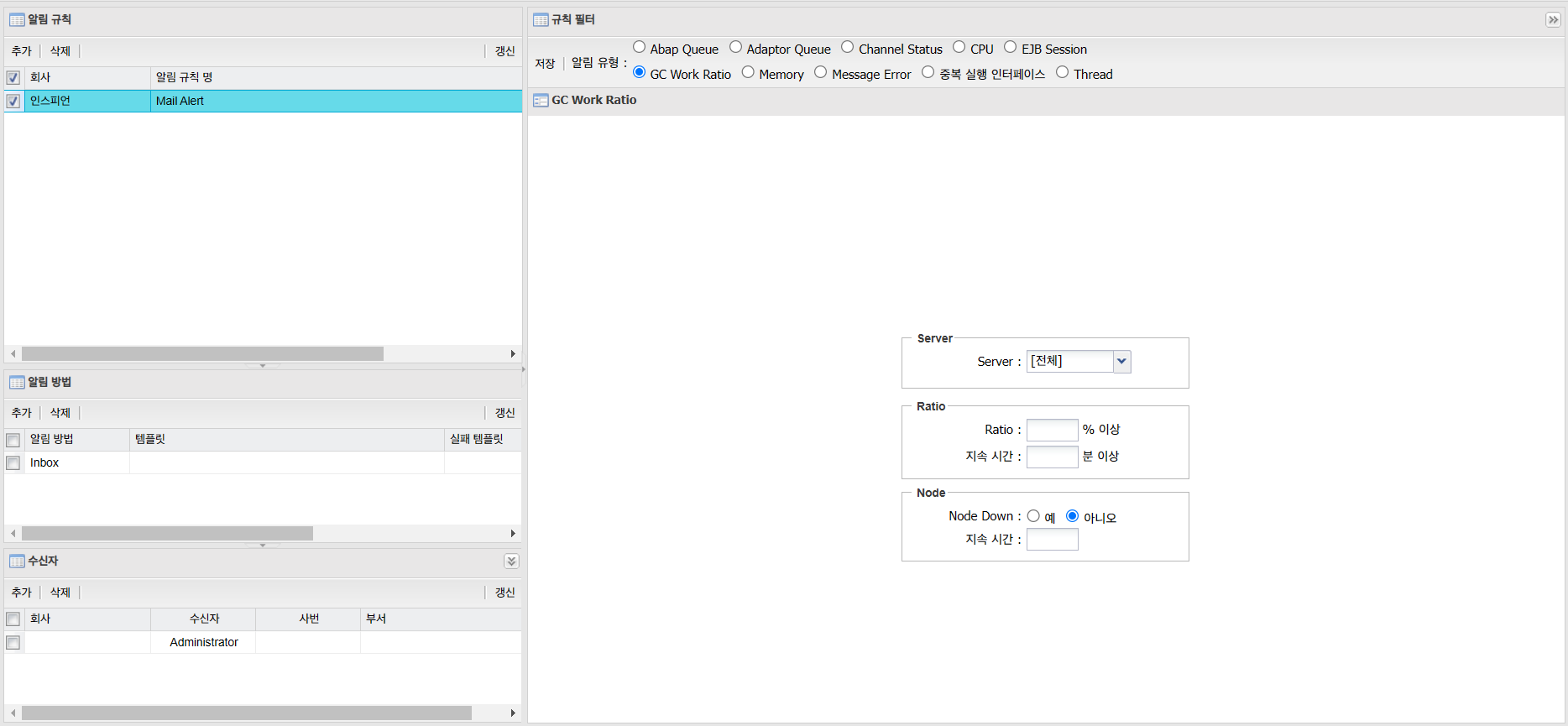
Error Rule · HistoryDefine rules and recipients based on error location, severity, and user permissions, then select alert channels such as Email, SMS, and KakaoTalk.
Rule · Recipient · ChannelVisualize transaction and performance status, search by period, message type, status, and other conditions, and export monitoring data to XLSX.
Statistics · Filter · XLSXExplore key RTIMS screens and capabilities, from administrator and business-user dashboards to business-oriented UI, alert rules, error monitoring, and statistics.
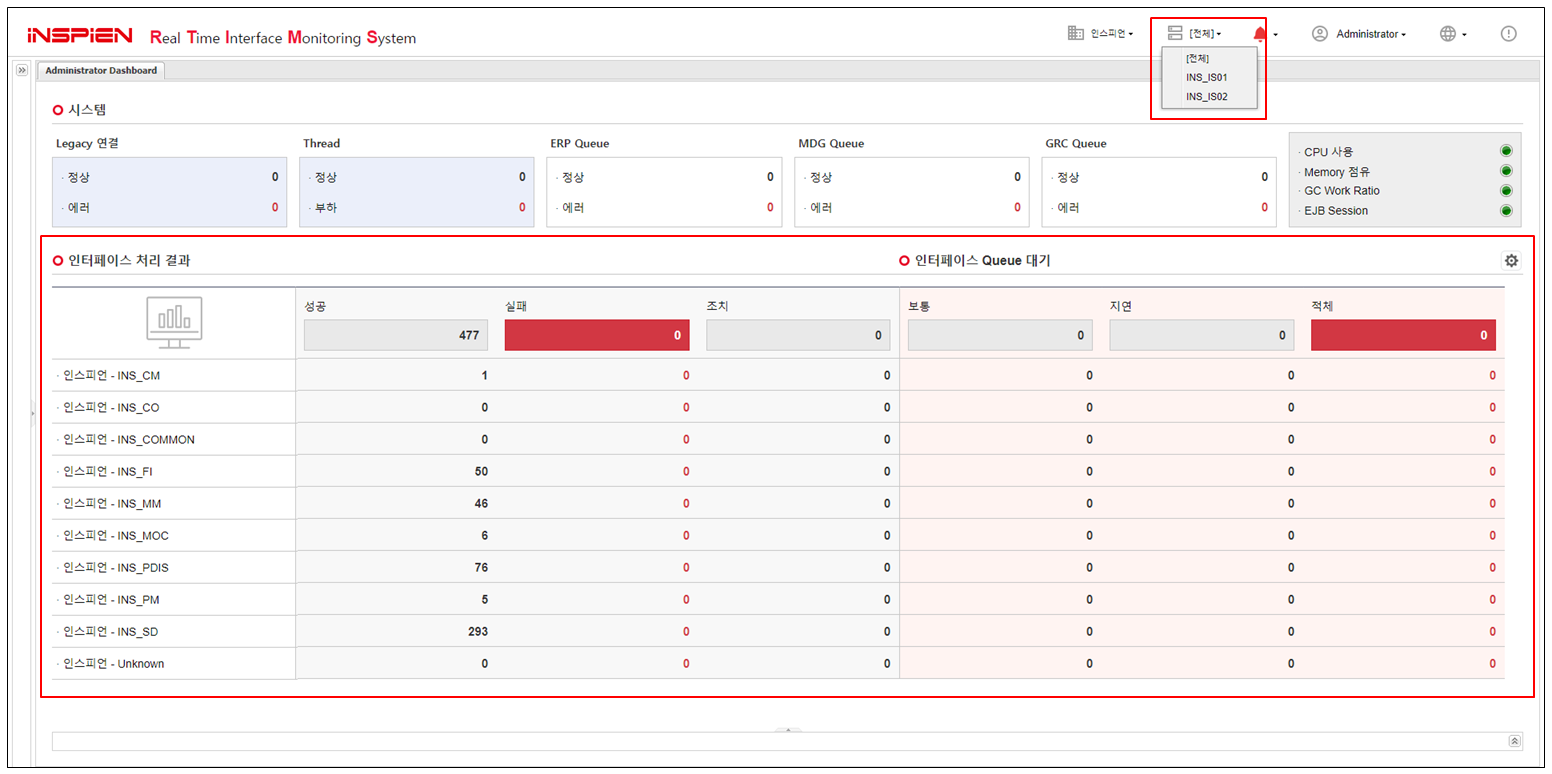
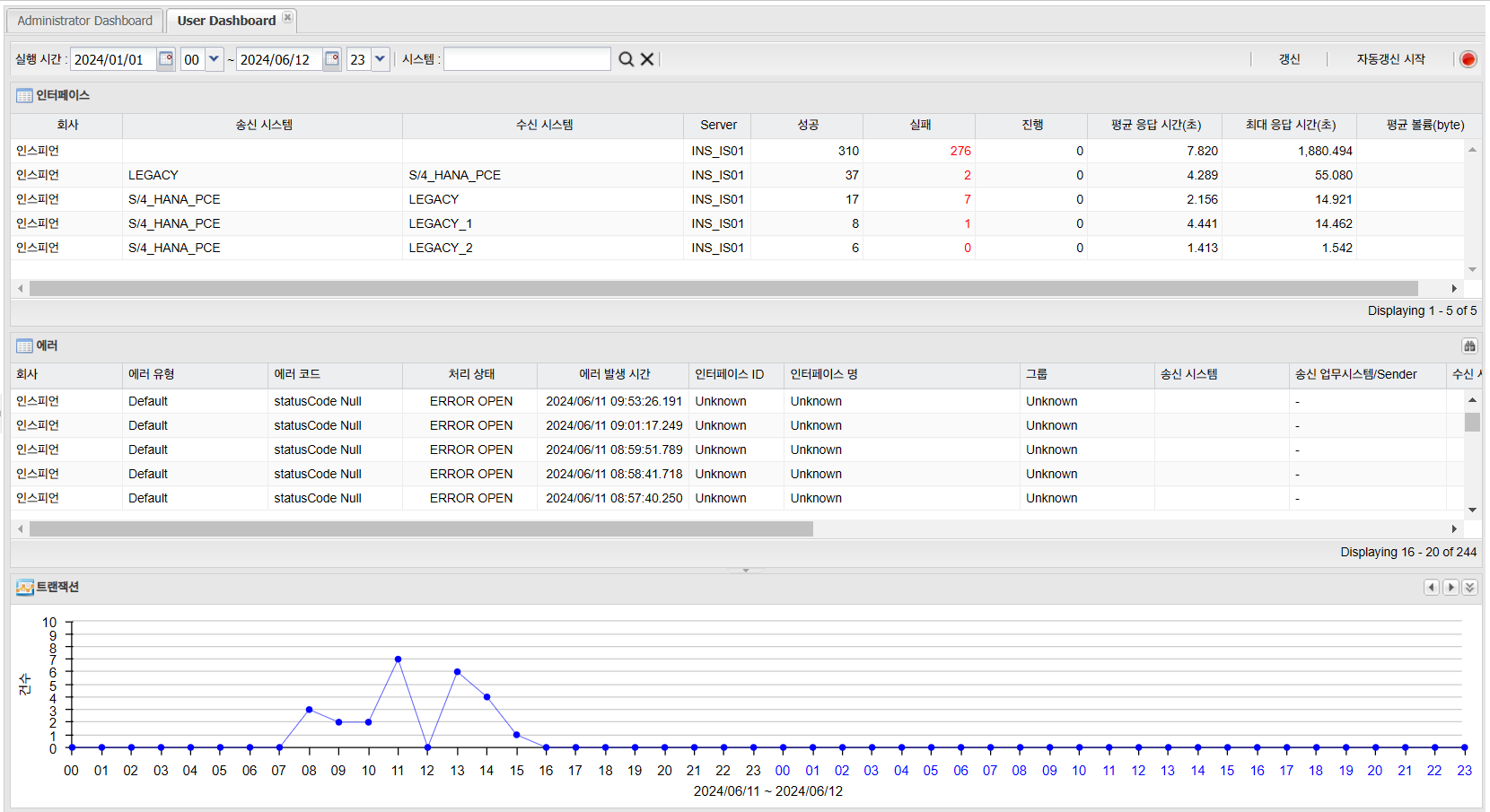
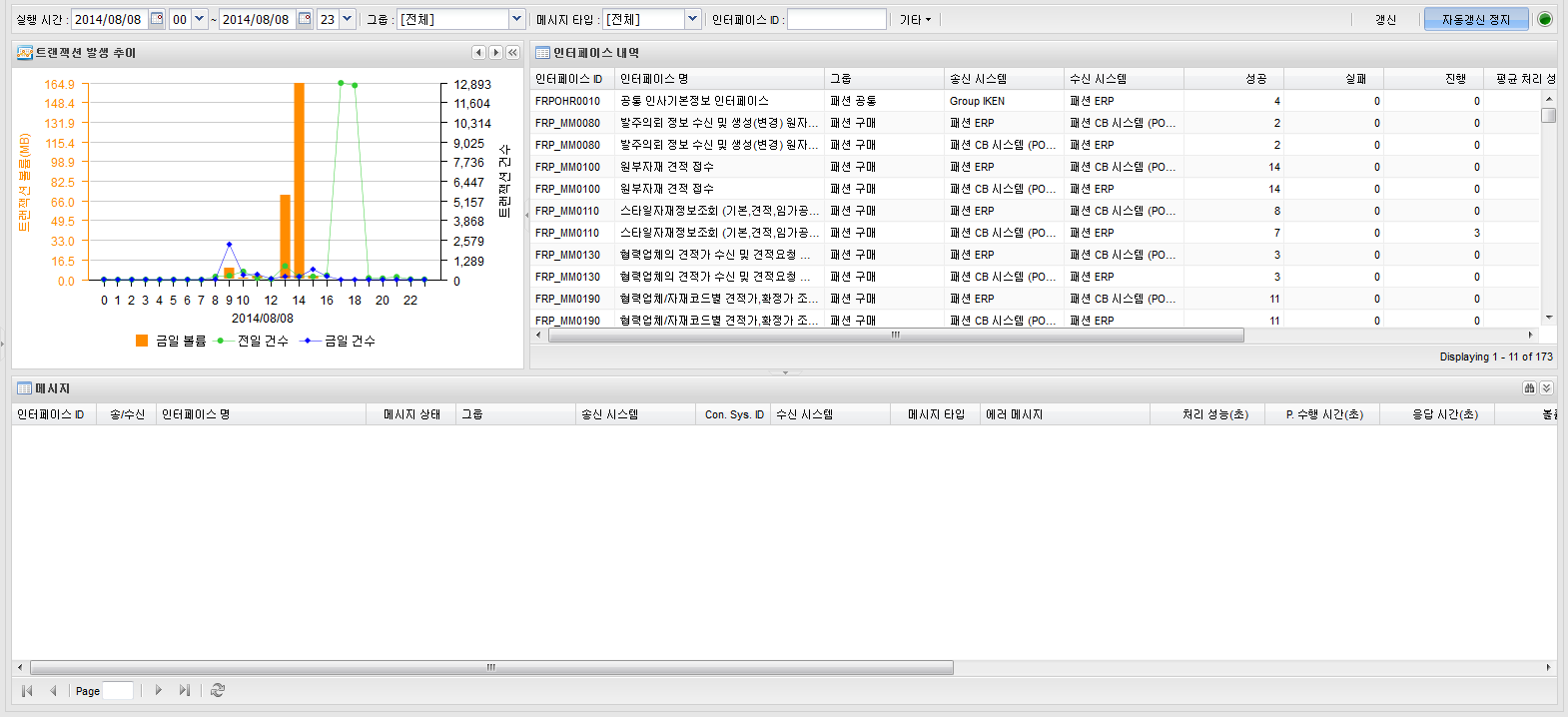
※ Screen layout and displayed items may vary depending on the operating environment and version.
Define incident conditions and recipients so responsible users can be notified even while working on other tasks.


No. In addition to administrator dashboards, it provides business-user dashboards and a business-oriented UI so operational users can easily understand interface processing results, errors, and statistics.
BizInsider RTIMS can integrate with multiple EAI systems in an N:1 structure to monitor and manage interfaces from an enterprise-wide view.
Alert rules and recipients can be configured based on error location, severity, user permissions, and other conditions, with channels such as Email, SMS, and KakaoTalk available.
Yes. Specific error types and trigger conditions can be defined, relevant error history can be filtered, and the processing status of each error can be recorded.
Yes. Data can be searched by period, message type, interface ID, status, and other conditions, and monitoring data can be exported as an XLSX file.
Share your current EAI architecture, monitoring approach, and incident-response process, and we can review the appropriate RTIMS scope and operating configuration together.

